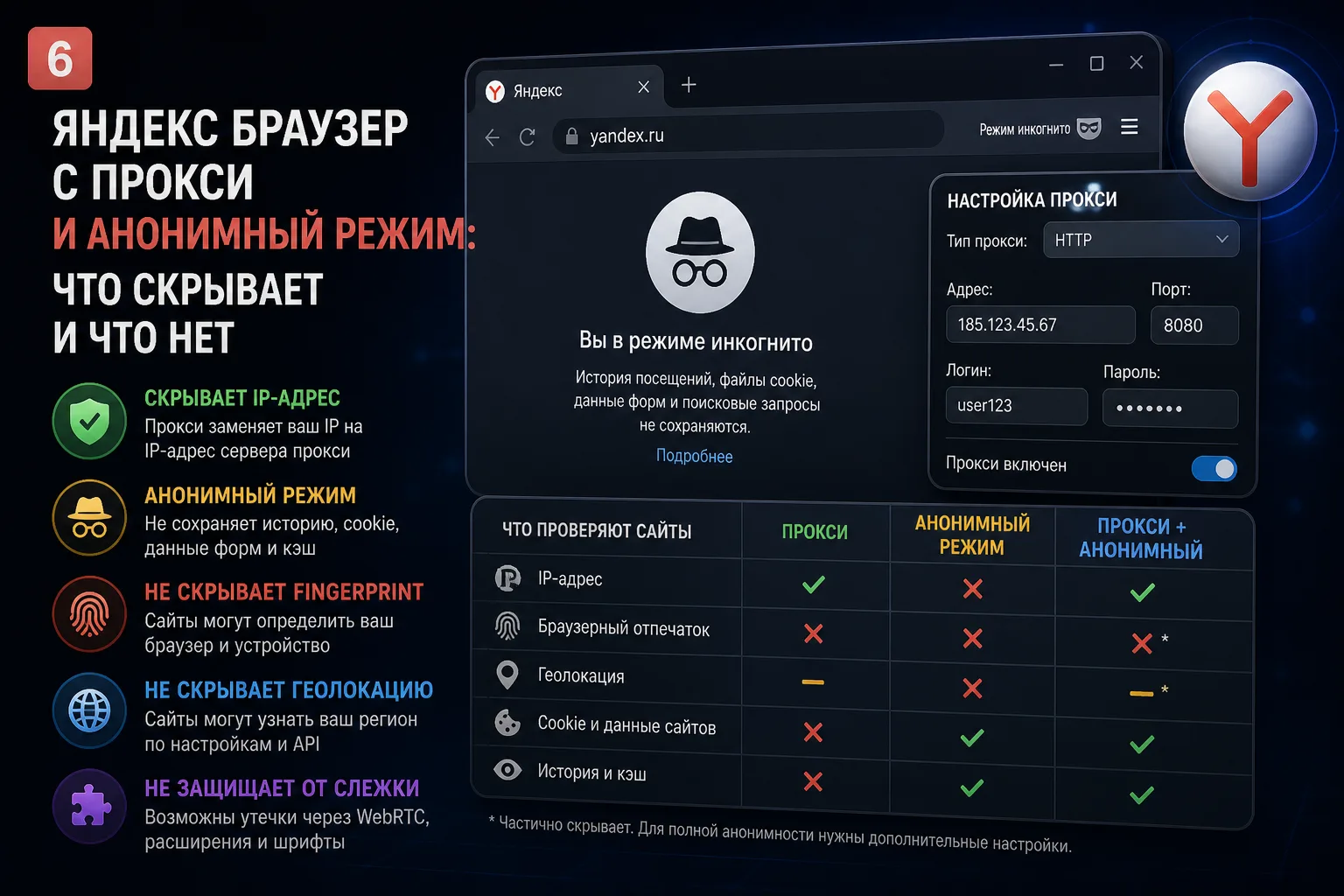
Yandex Browser Privacy Capabilities
Yandex Browser is one of the most popular browsers in Russia and CIS countries. Many users turn to it for online privacy, hoping that its built-in features will protect their anonymity. But how well does it actually work, and when does it fall short?
What Yandex Browser Actually Offers
Yandex Browser includes several privacy features:
- Incognito mode: Doesn't save browsing history, cookies, or form data locally
- Tracker protection: Blocks some third-party trackers and analytics
- HTTPS enforcement: Prefers secure connections where available
- Built-in VPN (Turbo mode): A proxy server that routes some traffic through Yandex servers
What It Doesn't Protect Against
- Browser fingerprinting: Yandex Browser has a unique fingerprint like any other browser
- Real IP leakage: The Turbo mode proxy is not a true VPN and leaks your real IP in many situations
- Multi-accounting detection: Platforms can easily detect multiple accounts from the same Yandex Browser installation
- Yandex's own tracking: Yandex itself collects extensive usage data from the browser
Using Yandex Browser with a Proxy
Adding an external proxy to Yandex Browser helps hide your IP but doesn't solve the fingerprinting problem. Even through a proxy, Yandex Browser is identifiable and linkable across sessions. For real multi-accounting or anonymity work, this combination is insufficient.
When Yandex Browser Is Appropriate
Yandex Browser is a perfectly good everyday browser for:
- Casual browsing with basic tracker protection
- Russian-language web services that integrate well with Yandex ecosystem
- Users in Russia who don't need professional-grade anonymity
For Serious Anonymity: Use Antidetect
If you need real privacy — for multi-accounting, professional work, or protecting sensitive operations — Yandex Browser is not the answer. An antidetect browser with properly configured proxies is the only solution that addresses all fingerprinting and account-linking risks simultaneously.